BeeCut – Video Editor | Lifetime Access

TL;DR

  • Create professional videos faster with an easy-to-use video editing platform for creators and businesses.
  • Enhance videos with effects, transitions, text, music, and other editing tools without advanced production skills.
  • Turn raw footage into polished, engaging content for YouTube, social media, presentations, and marketing campaigns.
  • Save time on video production with a streamlined editing workflow that helps bring creative ideas to life.

Quick Overview

Alternative to:

  • Adobe Premiere Pro
  • DaVinci Resolve
  • Filmora
  • Movavi Video Suite
  • YouTube

Best for:

  • Content Creators
  • Social Media Influencers
  • Video Editors
  • YouTubers

Compatibility:

  • Operating Systems:
    Android, iOS, MacOS, Windows
  • Integrations:
    Facebook, Instagram

Looking for a powerful and user-friendly video editor that can help you create stunning videos with ease? Introducing BeeCut Video Editor.


What is BeeCut Video Editor?


BeeCut is a versatile video editing software that is both powerful and easy to use, making it ideal for both beginners and professional video editors. BeeCut offers-

  • User-friendly interface
  • Comprehensive editing tools
  • Extensive effects library

and many more!


Don’t let your videos look boring and unprofessional. Try BeeCut today and start creating stunning videos that will wow your audience.

Features Of BeeCut Video Editor:

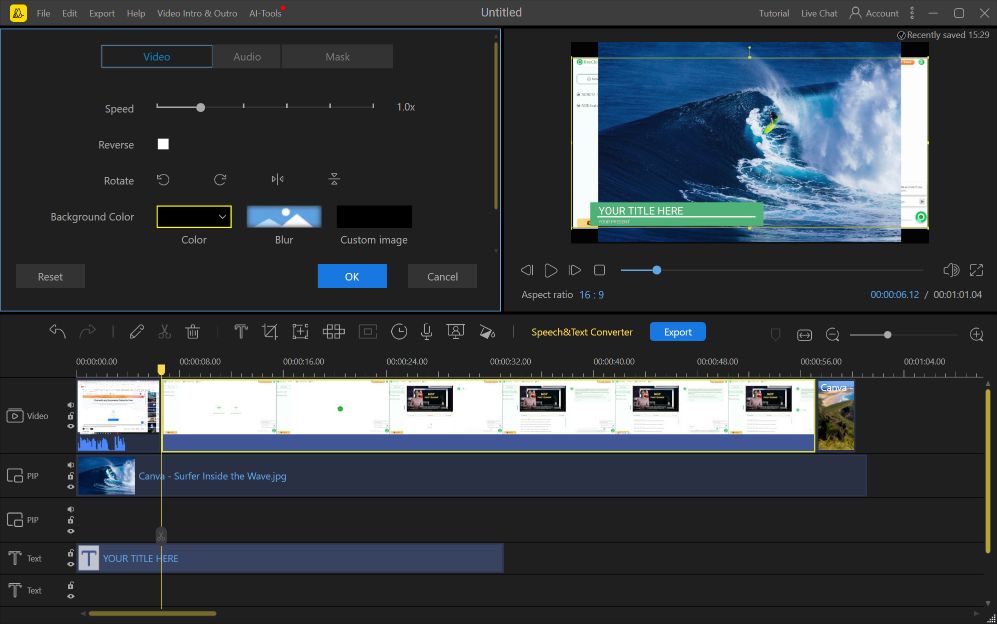
<strong>How You Can Use BeeCut To Edit Your Video</strong>

Video Editing & Timeline

  • Video editing tools: Crop, trim, split, merge, and more.
  • Multi-track timeline: Layer videos, audio, and effects.
  • Instant preview: See how your edits look in real time.

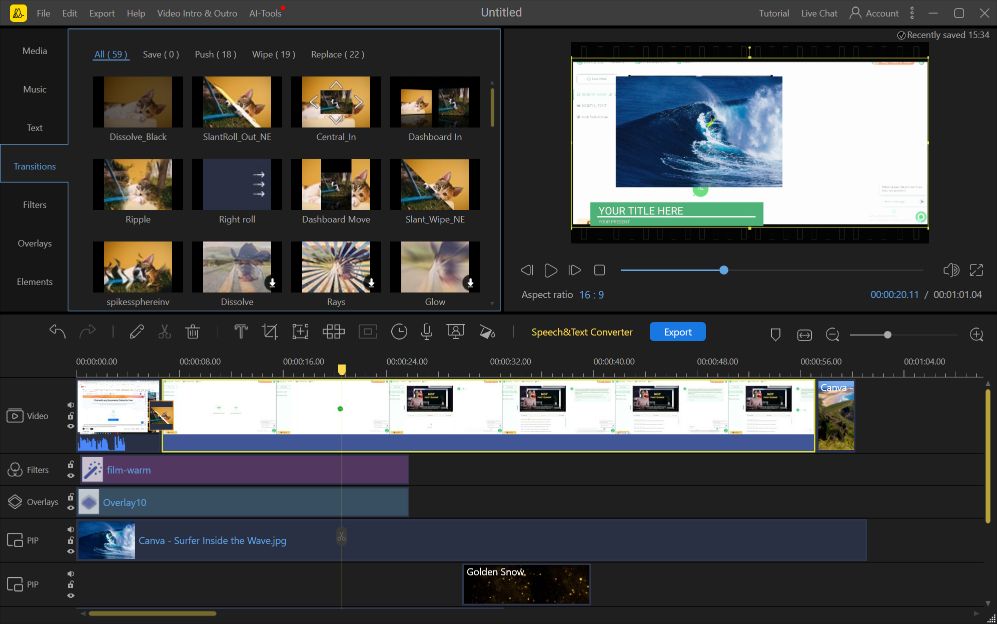
<strong>How You Can Use BeeCut To Add Transitions</strong>

Effects & Creative Tools

  • Filters and effects: Add professional polish to your videos.
  • Text and titles: Add engaging text overlays to your videos.
  • Transitions: Create seamless visual flow with smooth transitions.
  • Intuitive interface: Easy to use for beginners and experts alike.
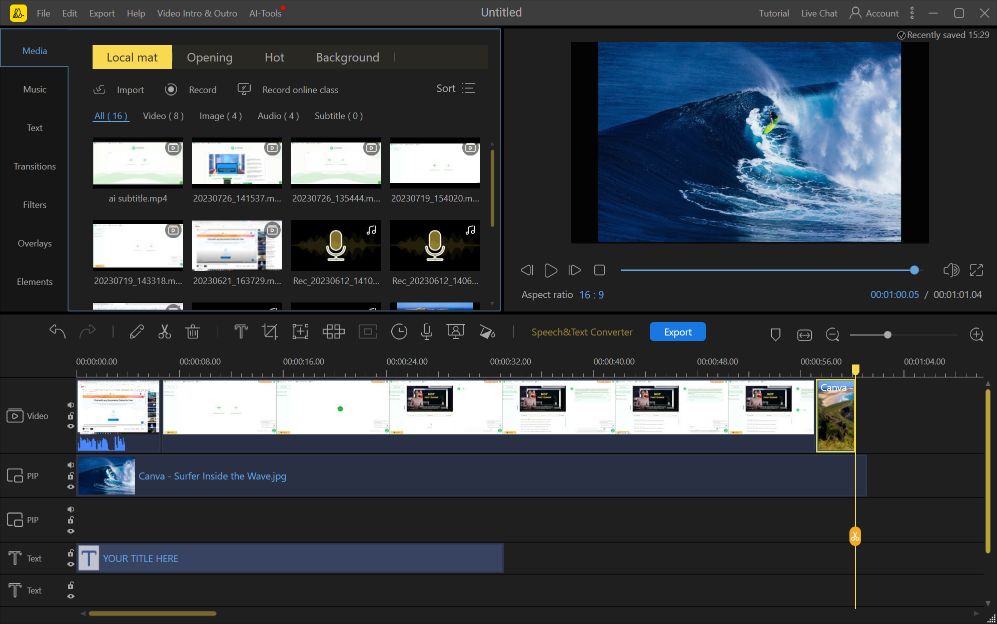
<strong>How You Can Use BeeCut To Add Media</strong>

Formats & Sharing

  • Support for various formats: Import and export videos in popular formats.
  • Social media integration: Share your videos on YouTube, Facebook, and Instagram with ease.
  • Maximum resolution and frame rate: Edit videos with high quality.

Benefits

  • Edit videos using essential cutting, trimming, splitting, and merging tools.
  • Combine video, audio, and effects on a multi-track timeline.
  • Enhance videos with filters, effects, titles, and transitions.
  • Preview edits in real time before exporting.
  • Work with popular video formats.
  • Prepare videos for sharing across major social platforms.

BeeCut Video Editor is best for:

  • Content Creators
  • Social Media Influencers
  • Video Editors
  • YouTubers

Choose Your Plan

With DealClub
$34.85
$59.95
Without DealClub
$41.00
$59.95
Buy Now
Limited Time Deal

Deal Terms

  • Access via redemption of coupon code
  • 30-Day Coupon Code Validity
  • One Coupon Code for one user/account
  • Coupon Codes are not stackable
  • For both - New & Existing Users
  • Free Updates
  • Free Support
  • Accessible on all devices - Desktop, Mobile and Tablet

Customer Testimonials

The software, despite its simple interface, is very powerful and fast.

-Jake W

I love it, The program works well and beautiful style. You deserve it.

-Annalise Agostinelli

Anyone can learn to use this video editing software, regardless of their skill level.

-Larry

Plans & Features

Choose the perfect plan for your needs.

Plans & Features
Standard
$59.95 $41
Buy Now
Easy-to-use interface
Crop, trim, split, merge videos
Add filters, effects, transitions
Multi-track timeline
Real-time preview
Support for popular formats
Social media sharing
High-quality resolution and frame rate

Standard

$59.95 $41.00
Buy Now
30-Day Refund | Lifetime Access | One-Time Payment
  • Easy-to-use interface
  • Crop, trim, split, merge videos
  • Add filters, effects, transitions
  • Multi-track timeline
  • Real-time preview
  • Support for popular formats
  • Social media sharing
  • High-quality resolution and frame rate

Frequently Asked Questions

Find answers to common questions about BeeCut

Can I trim, split, and merge videos with BeeCut?

Yes. BeeCut's video editing tools support cropping, trimming, splitting, merging, and other editing functions.

Does BeeCut support multi-track video editing?

Yes. Its multi-track timeline allows you to layer videos, audio, and effects.

Customer Feedback

Customer Reviews (0) Customer Q&A (1)

No Reviews Yet

Be the first to try this deal and share your experience.

You must purchase this product to leave a review.

Have a Question?

Get answers from our community and support team.

Login to Ask a Question
October 2, 2024

Q: Is this for the Online video editor?

A: Hi, this is for the professional desktop version of BeeCut. You can download the latest version from the official BeeCut website. We recommend using the Windows version, as the macOS version currently offers fewer features compared to Windows.

×

You Might Also Like

VoiceWave - Transform Your Voice in Real Time With AI

VoiceWave - Transform Your Voice in Real Time With AI

, , , , , , , ,

Larnii - AI Music Creator |  Annual Access
Total Video Player for Mac [Pro] - Blu-Ray Video Player | Lifetime Access

Total Video Player for Mac [Pro] - Blu-Ray Video Player | Lifetime Access

, , , , , , ,

TranslateVideos - Video Translator | Annual Subscription

TranslateVideos - Video Translator | Annual Subscription

, , , , , , ,

Buy with DealClub
$34.85 $59.95
Buy without DealClub
$41.00 $59.95

Deal Terms

  • ✓ Access via redemption of coupon code
  • ✓ 30-Day Coupon Code Validity
  • ✓ One Coupon Code for one user/account
  • ✓ Coupon Codes are not stackable
  • ✓ For both - New & Existing Users
  • ✓ Free Updates
  • ✓ Free Support
  • ✓ Accessible on all devices - Desktop, Mobile and Tablet
Scroll to Top