Traditional VPNs often reuse shared IP addresses, creating privacy and tracking concerns. DealFuel brings you a solution to solve all those problems: UpVPN.
What is UpVPN?
UpVPN is a modern, serverless VPN built on WireGuard that provides a fresh IP address for each connection.
It helps developers, technical users, and privacy-focused individuals enjoy a cleaner, more secure VPN experience.
UpVPN offers a seamless experience with Global VPN Providers –
On-demand server provisioning
Unlimited devices and data
Open-source transparency.
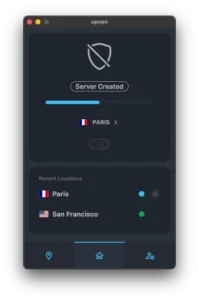
With UpVPN, you can instantly connect to VPN servers that are provisioned when you connect and de-provisioned when you disconnect.
This approach means you get a new server and IP address every time you connect in fully serverless locations, enhancing your online privacy and security.
What Does “Serverless VPN” Mean?
A serverless VPN removes the dependency on traditional VPN server networks that reuse the same IP addresses among many users. Instead, UpVPN uses a modern connection-based architecture designed to provide a fresh IP for each new session.
Why Fresh IPs Matter for Privacy?
With traditional VPNs, multiple users may share the same VPN IP, which can create tracking patterns or cause blocked access due to shared usage history.
Fresh IP-per-connection helps:
- Reduce IP reuse across sessions
- Separate each connection identity
- Improve privacy when browsing or testing online services
- Provide cleaner connections for technical workflows
Specifications of UpVPN - WireGuard VPN:
- Unlimited devices
- Unlimited data
- 7 concurrent VPN sessions
- 40+ locations worldwide
Features of UpVPN - Serverless WireGuard VPN:
Fully managed WireGuard as a Service:
- Get VPN servers without managing configurations or servers.
WireGuard VPN configuration:
- Easily integrate with official WireGuard mobile or desktop apps.
Custom DNS server configuration:
- Tailor DNS settings to your preference for enhanced control.
Serverless VPN:
- Save time and money with serverless VPN technology.
One-click server provision:
- Instantly set up a VPN server with a single click or tap.
New server & IP on connect:
- Get a fresh server and IP every time you connect in serverless locations.
Quick VPN connection:
- Quickly connect in locations with available server capacity.
Open source mobile and desktop apps:
- Enjoy transparency and security with open-source software.
Secure VPN:
- Trust in the safety and openness of UpVPN’s technology.
Manage VPN sessions [Desktop CLI]:
- Seamlessly control VPN sessions using the UpVPN CLI command-line tool.
List available locations:
- Easily see all available VPN server locations.
Start and end VPN sessions:
- Conveniently initiate and terminate VPN connections via CLI.
Use on devices without the UpVPN app:
- Connect with official WireGuard clients even without the UpVPN app.
Manage VPN sessions:
- Control and monitor your VPN sessions from a centralized dashboard.
Download configuration:
- Adjust DNS settings and download WireGuard config for easy setup.
UpVPN Streaming Compatibility:
UpVPN can be used for accessing streaming platforms and region-based content where VPN connections are supported. Performance may vary depending on the streaming provider, location, and network conditions.
For the best experience, users should connect to a nearby location for faster speeds and lower latency.
Who Is UpVPN For?
- Developers: To test websites, APIs, and location-based services with fresh IP connections.
- Privacy Maximalists: To get a VPN experience focused on reducing IP reuse and improving connection privacy.
- Technical Users: To use a lightweight WireGuard-based VPN built for more control and performance.
- Remote Workers & Researchers: To secure browsing sessions and maintain cleaner connection separation.
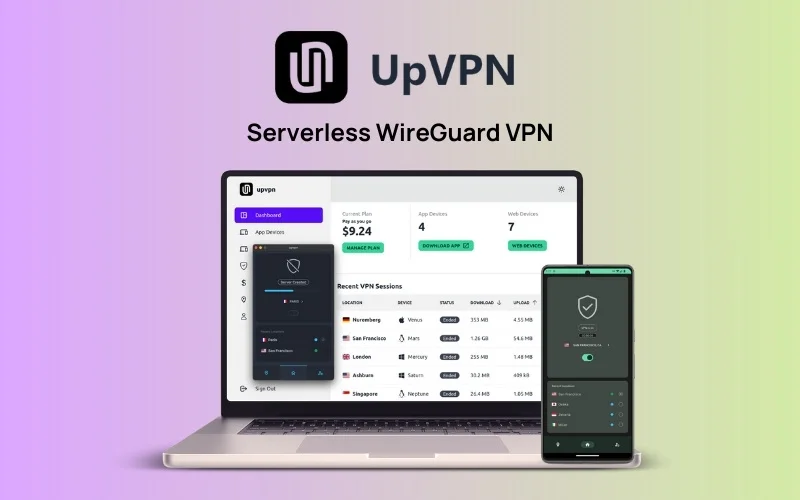
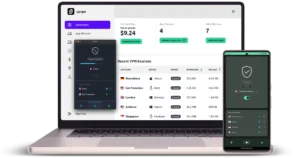
Preview of UpVPN – Serverless WireGuard VPN:


Frequently Asked Questions:
Does UpVPN slow down internet speed?
UpVPN uses the WireGuard protocol, which is known for being lightweight and fast. Actual speeds depend on your network connection, device, and selected location.
Does UpVPN have a no-logs policy or audit?
UpVPN focuses on privacy-first VPN usage. Users should review the provider’s latest privacy documentation for current logging practices and any available audit information.
How many sessions can I use at once?
UpVPN supports up to 7 active sessions, allowing you to use the VPN across multiple devices while staying within the plan limit.
What makes UpVPN different from regular VPNs?
Unlike traditional VPNs that often rely on shared server IP pools, UpVPN uses a serverless approach, providing a fresh IP per connection for a more isolated and privacy-focused experience.
Deal Terms:
How to download/activate this product?
After completing your purchase, you will receive an instructions document. Follow the instructions in this document to redeem the coupon code and get access to UpVPN.
What is the Validity of the activation license key/code? (Within how many days must the code be redeemed?)
The coupon code must be redeemed within 30 days from the date of purchase.
Is a Lifetime Subscription available for this product?
No, an Annual Subscription is available for this product with this deal.
Are Annual Updates available for this product?
YES, updates are available for free during the subscription period.
Is support available for this product?
Yes, support is available for this product.
For support, contact – [email protected].
How many users can use the license key/coupon code?
1 coupon code can be used by 1 user/account.
Are the coupon codes stackable?
No, the coupon codes are not stackable.
Is this deal for new users only?
Yes, this deal is available for both existing and new users of UpVPN who are getting the Annual Subscription for the first time.
Can this product be accessed on all devices?
Yes, UpVPN is accessible on all devices, provided the devices have a good internet connection and an official WireGuard app.


Reviews
There are no reviews yet.