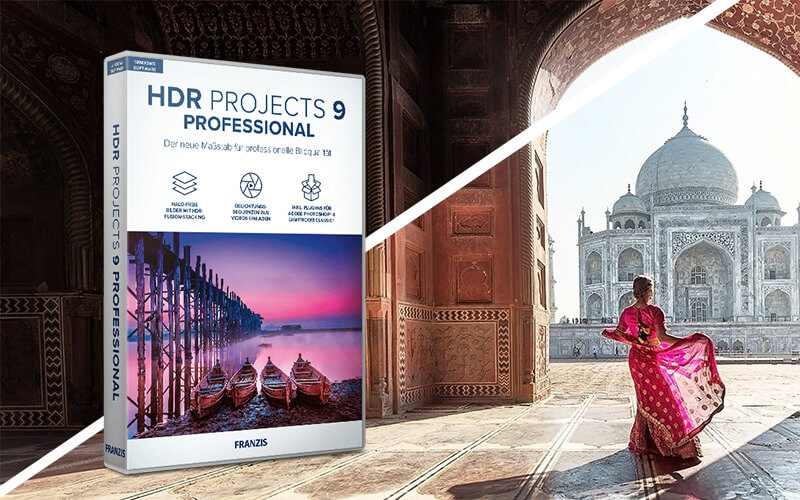







HDR 9 Project Pro – Transform Multiple Exposures Into HDR Images

TL;DR

  • Create high-resolution images that look sharp and professional across digital and print formats.
  • Enhance visual quality by producing detailed images suitable for marketing, branding, and creative projects.
  • Turn ideas into polished visuals without needing advanced image-editing skills.
  • Save time creating professional-quality graphics for websites, social media, presentations, and other content.

Quick Overview

Alternative to:

  • Adobe Lightroom
  • Adobe Photoshop
  • Aurora HDR
  • ON1 Photo RAW
  • Photomatix Pro

Best for:

  • Content Creators
  • Creative Agencies
  • Freelancers
  • Photographers
  • Small Business Owners
  • Social Media Designers
  • Startups

Compatibility:

  • Operating Systems:
    Windows

You clicked a picture, went home, and realized you didn’t get the perfect shot! Happens to the best of us. But relax! We have –

HDR 9 Project Pro – HDR Editing Software

HDR technology captures the best possible exposure in difficult situations by combining different exposure levels. With the new, revised presets, you can also control difficult lighting conditions.

The finest details, bright colors, and rich contrast will inspire you. Load your images into HDR Projects 9 Professional and let the program assemble the bracketing series. Then choose a suitable image from more than 212 suggested images, or edit the result further to suit your personal taste.

Halos are a common evil in the HDR photography world. Not anymore with the new HDR-Fusion Stacking feature! With this sensational new tool, annoying halos don’t appear in the first place, and you can focus on editing the image.

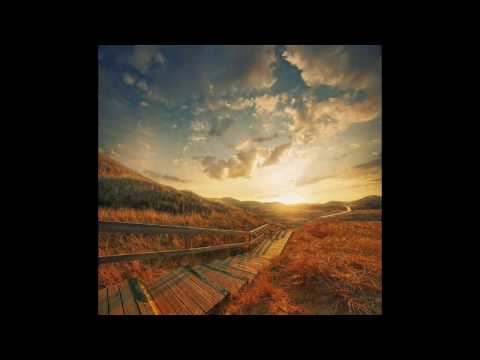
HDR Project Pro – HDR Photo Editing In Action

Youtube video

Features Of HDR 9 Project Pro:

Before
After

HDR Image Processing:

  • Professional image processing for HDR images
  • HDR fusion stacking for halo-free images
  • Ghost image correction with configurable gradient masks
  • 6 selectable processes for automatic master image selection
  • 3 quality modes: Grainy, Balanced, and Fine
  • Automatic exposure bracketing creation

Before
After

HDR Workflow & Batch Processing:

  • Batch processing with automatic exposure bracketing detection
  • Export exposure series from JPG or RAW files for editing in other programs
  • Point-of-interest view for faster, resource-efficient image analysis
  • 24 additional presets for quick HDR adjustments
  • 12 new creative effects, including perspective correction, horizon alignment, clarity, exposure, and psychedelic effects
Before
After

Creative & Selective Editing:

  • Apply post-processing effects for more creative image editing
  • Use intelligent ambient light for selective drawing
  • Precisely edit specific areas with the sensitive-selective drawing tool
  • Enhance individual image areas without affecting the entire photo

Why Choose HDR 9 Project Pro?

  • Create high-resolution HDR images with enhanced detail and dynamic range.
  • Merge multiple exposures into a single balanced HDR photo.
  • Recover details from bright highlights and dark shadows.
  • Correct ghosting caused by moving subjects across multiple exposures.
  • Enhance contrast, lighting, and color for more impactful photos.
  • Create natural-looking HDR images without overly processed effects.
  • Apply HDR presets to quickly achieve different visual styles.
  • Fine-tune exposure, tone, color, and other image adjustments.
  • Improve challenging photos with better detail across the entire frame.
  • Produce polished HDR images ready for professional or commercial use.

Best For:

  • Content Creators
  • Creative Agencies
  • Freelancers
  • Photographers
  • Small Business Owners
  • Social Media Designers
  • Startups

Choose Your Plan

With DealClub
$42.46
$99.00
Without DealClub
$49.95
$99.00
Buy Now
Limited Time Deal

Deal Terms

  • Access via redemption of coupon code
  • 30-Day Coupon Code Validity
  • One Coupon Code for one user/account
  • Coupon Codes are not stackable
  • For both - New & Existing Users
  • Paid Updates
  • Free Support
  • Accessible only on Windows devices

Plans & Features

Choose the perfect plan for your needs.

Plans & Features
Lifetime Access
$99 $49.95
Buy Now
HDR image processing
Halo-free HDR fusion stacking
Ghost image correction
Automatic master image selection
24 presets & 12 new effects
3 quality modes
Automatic bracketing & batch processing
Export exposure series for editing
Point of interest view
Post-processing effects
Selective drawing with ambient light
Precise editing with sensitive tool

Lifetime Access

$99.00 $49.95
Buy Now
30-Day Refund | Lifetime Access | One-Time Payment
  • HDR image processing
  • Halo-free HDR fusion stacking
  • Ghost image correction
  • Automatic master image selection
  • 24 presets & 12 new effects
  • 3 quality modes
  • Automatic bracketing & batch processing
  • Export exposure series for editing
  • Point of interest view
  • Post-processing effects
  • Selective drawing with ambient light
  • Precise editing with sensitive tool

Frequently Asked Questions

Find answers to common questions about HDR Project Pro

Can I merge multiple exposures?

Yes, use HDR fusion stacking to combine exposures into a single HDR image.

Does it correct ghosting?

Yes, configurable gradient masks help correct ghost images from moving subjects.

Can I edit specific areas of an image?

Yes, selective drawing tools let you make precise adjustments to chosen areas.

Does it support RAW files?

Yes, you can work with RAW files and create exposure series for further editing.

Customer Feedback

Customer Reviews (0) Customer Q&A (0)

No Reviews Yet

Be the first to try this deal and share your experience.

You must purchase this product to leave a review.

Be The First To Ask

Get clarity before you buy—your question might help others too.

×

You Might Also Like

InkSprout - AI Text To Video Generator
SnapText - Image To Text Converter | Lifetime Access

SnapText - Image To Text Converter | Lifetime Access

, , , , , , ,

5.0 (1)
EchoWrite - AI Voice Dictation Software For Windows (BYOK) | Lifetime Access

EchoWrite - AI Voice Dictation Software For Windows (BYOK) | Lifetime Access

, , , , , , , ,

Vidtoon - Animated Video Maker | Lifetime Access

Vidtoon - Animated Video Maker | Lifetime Access

, , , , , , ,

Buy with DealClub
$42.46 $99.00
Buy without DealClub
$49.95 $99.00

Deal Terms

  • Access via redemption of coupon code
  • 30-Day Coupon Code Validity
  • One Coupon Code for one user/account
  • Coupon Codes are not stackable
  • For both - New & Existing Users
  • Paid Updates
  • Free Support
  • Accessible only on Windows devices
Scroll to Top