



Watching old videos today often highlights every imperfection: blur, noise, shaky frames, and poor resolution. And when you play these videos on modern 4K or 8K screens, the flaws are magnified, and the footage looks worse than you remember. Faces lose detail, colors appear dull, and every movement seems jittery. For many creators, filmmakers, or even casual users, this can be a huge barrier.
With traditional editing tools, you can easily crop, resize, or stabilize footage. However, they don’t help restore lost detail or fix flaws from older recording tech. Cause simply stretching or enlarging pixels is not enough. What you need is an intelligent, frame-by-frame reconstruction; the kind that only AI-powered tools can deliver.
AI-powered video enhancement offers a transformative alternative, using intelligent algorithms. These algorithms help analyze each frame, reconstruct missing details, improve motion, reduce noise, and enhance colors.
And the two major tools that have emerged as leaders in this space are VideoProc Converter AI and Topaz Video AI.
VideoProc Converter AI is the all-in-one toolkit. It combines AI enhancements with essential features such as conversion, editing, and compression. This simple, affordable package is perfect for creators and vloggers.
Meanwhile, Topaz Video AI is the dedicated specialist for high-end quality. It focuses solely on deep AI enhancement, such as upscaling and noise reduction. This offers the precision and fidelity that professionals demand.
In this article, we will look at both tools in depth. We will provide a detailed comparison of features, performance, quality, and pricing. This will help you decide whether you need a versatile all-in-one solution or a precision-focused AI tool.
VideoProc Converter AI vs Topaz Video AI
VideoProc Converter AI: The All-In-One Powerhouse:
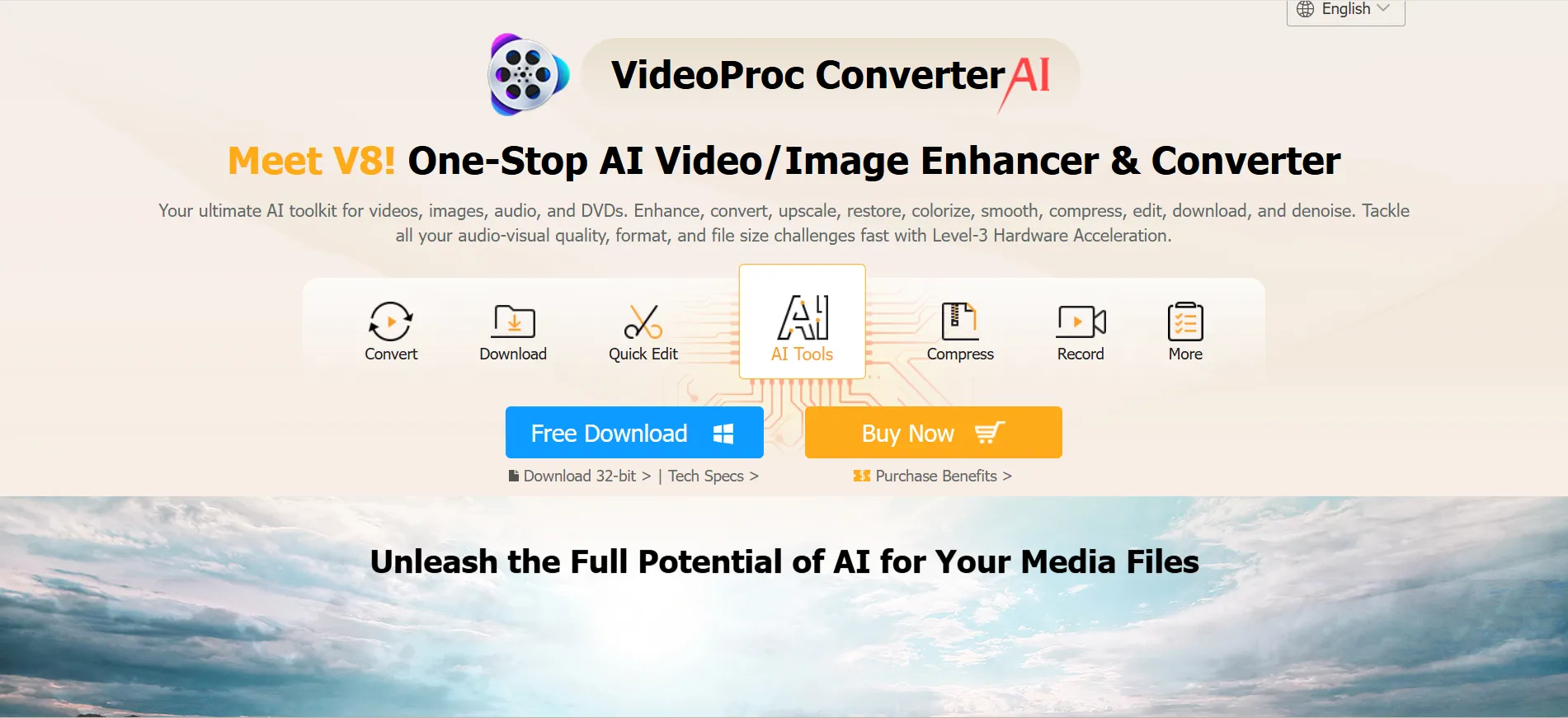
VideoProc Converter AI is a complete multimedia toolkit for creators who want speed, versatility, and professional results without much struggle.
It combines AI-powered video, image, and audio enhancement with robust conversion, compression, editing, and recording tools.
With 10+ AI models and Level-3 hardware acceleration, it supports all major GPUs. This ensures fast, high-quality processing with minimal CPU usage.
Whether you’re a vlogger, educator, or content professional, VideoProc’s versatility ensures you won’t need multiple apps to complete your projects.
Features:
- All-in-One AI Toolkit: Enhance, convert, edit, compress, record, and download videos, images, audio, and DVDs in one platform.
- AI Enhancement: Upscale videos up to 4X, stabilize shaky footage, colorize old photos, and restore details with advanced AI models.
- Super Resolution: Instantly boost low-quality videos to crisp 4K clarity.
- Frame Interpolation: Increase frame rates from 30FPS to 120FPS or higher for smoother motion.
- Audio AI: Automatically remove background noise for clear, professional audio.
- Quick Editing Tools: Cut, merge, crop, rotate, add effects, subtitles, and watermarks easily.
- Smart Compression: Reduce 4K and large video sizes by up to 54% without visible quality loss.
- Video & Audio Conversion: Convert any format (MP4, MOV, MKV, AVI, MP3, etc.) with high speed and precision.
- DVD Backup: Digitize and preserve your favorite DVDs in MP4 or MKV format.
- Video Downloader: Download videos, music, and playlists from 1000+ websites like YouTube, TikTok, and Facebook.
- Screen Recording: Record your desktop, webcam, or PiP videos in HD/4K.
- 47X GPU Acceleration: Process faster with NVIDIA, AMD, Intel, and Apple M-series chips using minimal CPU power.
- Secure Local Processing: 100% offline operation with no data tracking or uploads.
- Cross-Platform Support: Works on Windows and macOS, optimized for modern hardware.
Topaz Video AI: The Focused Specialist :
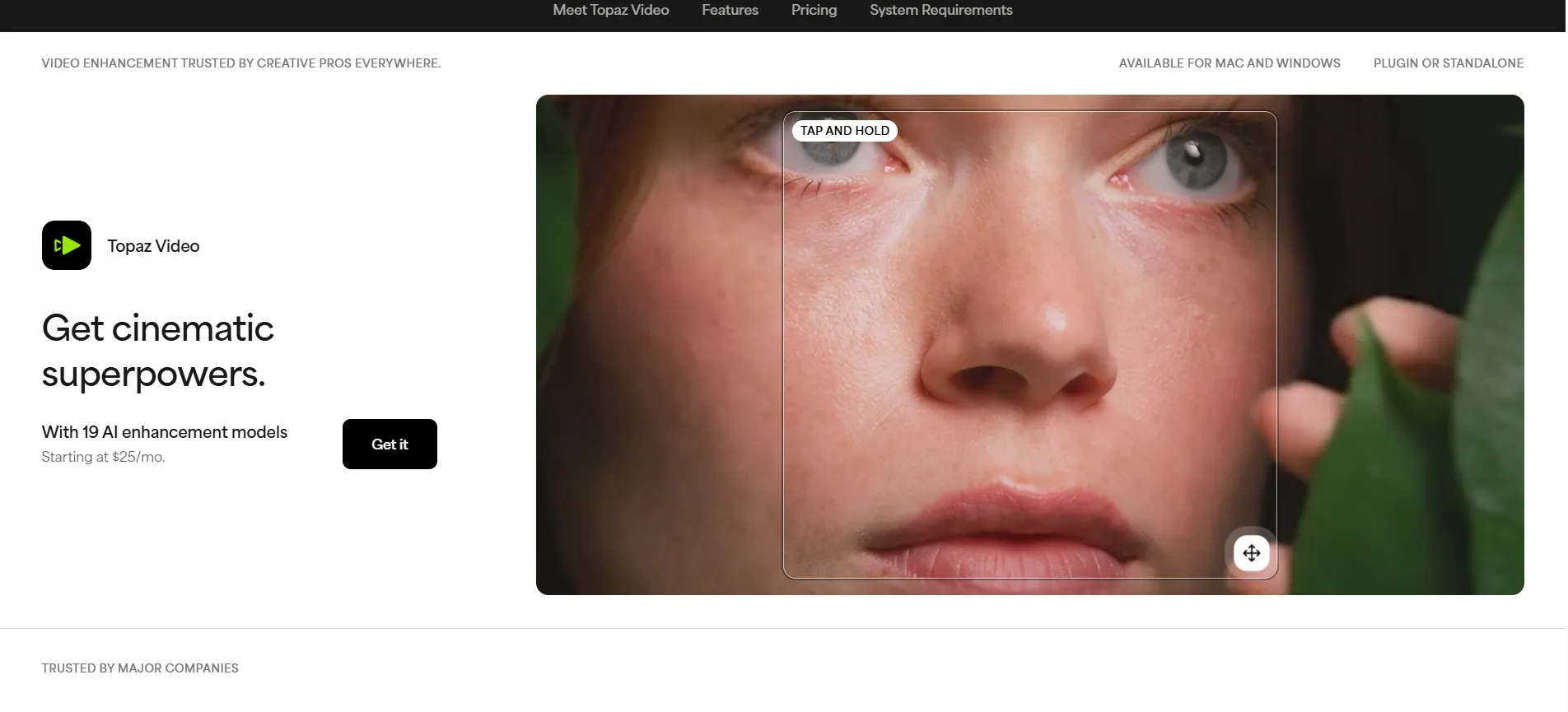
Topaz Video AI is a specialized, AI-driven enhancement software designed for high-end video restoration and post-production workflows. It is powered by 19 advanced AI models. It can upgrade footage to 4K, stabilize shaky shots, reduce noise, and generate ultra-smooth motion automatically.
Topaz Video AI is available for both Mac and Windows. It works as a standalone tool or integrates easily with major editing software like After Effects and DaVinci Resolve.
With its local rendering, you can safely handle private or archival footage. And with cloud rendering, you get lightning-fast performance powered by advanced AI.
Whether you’re working on a major post-production edit or just reviving an old clip, Topaz Video AI puts the power of a professional studio right onto your computer.
Features:
- AI Upscaling to 4K+: Instantly enhance low-resolution or archival footage to crisp, high-definition quality.
- Advanced Denoising: Remove grain and noise while preserving natural detail in videos shot in low-light or compressed conditions.
- Frame Interpolation & Slow Motion: Generate new frames to create ultra-smooth motion and realistic slow-motion effects.
- Focus Restoration: Recover sharpness from blurred or shaky footage for professional-grade clarity.
- Smart Stabilization: Reduce camera shake and jitter for smooth, steady shots.
- HDR Conversion: Expand brightness, contrast, and color depth to modern HDR standards.
- Film Grain Simulation: Add realistic cinematic grain for a polished, film-like appearance.
- Local Rendering: Process videos entirely on your computer for secure, private workflows.
- Cloud Rendering: Accelerate AI processing using Topaz Cloud Credits without straining local hardware.
- Seamless Integration: Use Topaz Video AI as a standalone app or plugin for After Effects, DaVinci Resolve, and other editing software.
- 19 AI Models: Access specialized AI engines like Proteus, Iris, Chronos, Rhea, Gaia, and Artemis for different footage types and tasks.
- Facial Detail Recovery: Automatically restore clarity in faces and delicate textures.
- Color & Contrast Enhancement: Improve dull footage with natural, balanced color correction and dynamic range adjustment.
- Cross-Platform Support: Available for both Mac and Windows for flexible workflows.
- Hardware Optimization: Leverage Mac/AMD or high-resolution hardware acceleration for faster processing and smoother results.
To make the choice easier, let’s compare the two tools across key features, performance, and pricing.
Comparison Table:
| Feature | VideoProc Converter AI | Topaz Video AI |
|---|---|---|
|
Price |
1-Year Subscription: (1 PC): $25.95;
Lifetime License: (1 PC): $45.95;
Family License: (3-5 PCs): $57.95 |
Credit-Based: (Annual Plans)
Personal: $33/Month;
Topaz Studio: $37/Month;
Pro: $67/Month |
|
Suitable For |
Vloggers, educators, content creators, and general multimedia users |
Filmmakers, editors, archivists, social media pros, and hobbyists seeking high-end quality |
|
Core Functionality |
All-in-one converter for any format (MP4, MOV, MKV, etc.); optimized for conversion and editing |
Dedicated AI enhancement tool; supports common input/output formats, optimized for post-processing |
|
AI Models |
10+ AI models for video, image, and audio enhancement |
19 specialized AI models (Proteus, Iris, Chronos, Rhea, Gaia, Artemis, Nyx, Apollo, etc.) |
|
Upscaling |
Super Resolution: 2X, 3X, 4X to 4K |
Upscale low-res/archival footage to HD/4K+ with specialized Rhea, Rhea XL, Gaia models |
|
Frame Interpolation (Slow Motion) |
Yes, up to 120FPS+ |
Yes, ultra-smooth motion using Chronos, Apollo, and Aion models |
|
Stabilization |
AI-based stabilization for shaky videos |
AI-based stabilization with professional post-production precision |
|
Denoising |
Audio & video denoising |
Advanced denoising models (Nyx, Proteus, Iris) preserving detail |
|
Editing & Quick Tools |
Extensive: Cut, merge, crop, rotate, effects, subtitles, watermark, brightness/contrast/hue adjustment, speed change |
Limited editing, mainly focused on AI enhancement |
|
Download & Recording |
Yes: Download videos/music from 1000+ sites, screen/webcam recording, PiP support |
No built-in downloader/recorder |
|
DVD Backup |
Yes, digitize and back up DVDs to MP4/MKV |
No DVD support |
|
Supported Systems |
Windows 7/8/10/11 (32/64-bit), macOS 10.13+ (AI tools require 10.15+), Apple Silicon supported |
Windows 10/11, macOS 10.14+, supports Apple Silicon & AMD hardware |
|
Hardware Acceleration |
GPU-accelerated with NVIDIA, AMD, Intel, Apple M-series; Level-3 hardware acceleration; Minimal CPU usage (~2%) |
Optimized for high-resolution hardware; Mac/AMD acceleration supported |
|
Rendering |
Local GPU-accelerated processing |
Local rendering (secure) or optional Cloud rendering with AI acceleration |
|
Security & Privacy |
100% local processing, no data tracking |
Local rendering ensures files never leave the computer; cloud is optional |
|
User Interface |
Beginner-friendly, one-click AI tools, batch processing |
Professional-grade interface, advanced AI workflow, suited for experienced editors |
|
Integration |
Standalone app |
Standalone app or plugin for After Effects, DaVinci |
|
Support |
24/7 email support, tutorials, knowledge base |
Email support, tutorials, and user guides |
This comparison table will help you quickly see the differences and choose the right tool for your needs.
Conclusion
Choosing the right AI video tool depends on your needs. VideoProc Converter AI is an all-in-one solution for video, audio, and image tasks. It is fast, versatile, and great for vloggers, educators, and content creators who want professional results without using multiple apps.
Topaz Video AI is designed for high-end video work. It uses 19 AI models to restore old footage, upscale to 4K+, and create smooth motion. It is ideal for filmmakers, editors, and archivists who will benefit from its studio-level quality and precise enhancements.
Ultimately, the choice depends on whether you value all-in-one versatility or precision-focused quality. By understanding your needs, workflow, and output expectations, you can select the tool that fits perfectly with your goals and ensures your videos look their absolute best.


