
Home > All > Operating System > Windows > EaseUS FocalFlow – AI Screen Recording With Auto-Zoom (3PCs – Windows) | Annual Access

EaseUS FocalFlow – AI Screen Recording With Auto-Zoom (3PCs – Windows) | Annual Access

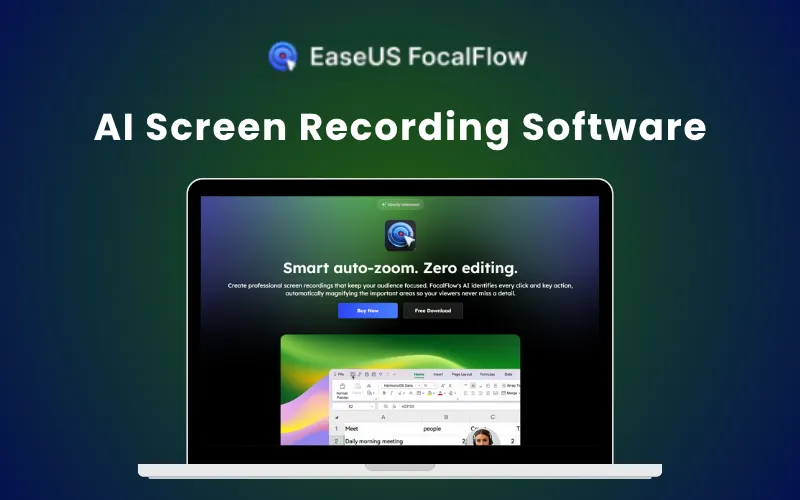
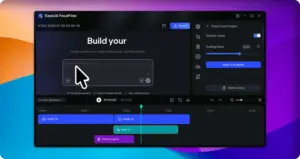
EaseUS FocalFlow Feature Image

TL;DR

  • Record and auto-edit in one step.
  • AI Zoom highlights every important action.
  • Create professional videos in minutes.
  • Easy to use, no learning curve.
  • No manual editing required.
  • Annual access for 3 PCs - no complicated setup.

Do your screen recordings take longer to edit than to record? Are you also tired of manually zooming and fixing every detail?

You can now skip the heavy editing and create professional recordings in minutes with FocalFlow.

What is EaseUS FocalFlow?

EaseUS FocalFlow is an AI-powered screen recording software that helps you create clean, professional videos without spending hours editing.

It records your screen, webcam, and audio all in one place.

FocalFlow’s AI also detects every click and key action, automatically zooming into important areas so your viewers never miss a detail.

All you have to do is –

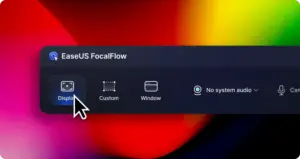
     1. Record your screen and adjust settings.

Record your screen with FocalFlow and adjust settings.

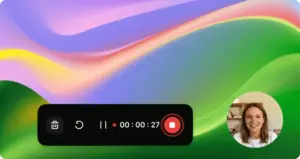
      2. Click through your screen, so everything you say gets recorded.

Click through your screen with FocalFlow, so everything you say gets recorded.

     3. Let AI automatically zoom and highlight key moments to create a polished video.

Let FocalFlow's AI automatically zoom and highlight key moments to create a polished video.

Features Of EaseUS FocalFlow:

Automatically Zoom Into Every Click:

FocalFlow detects every click and key action during recording and zooms into it instantly.

Your viewers will always know where to focus without you adding effects manually.

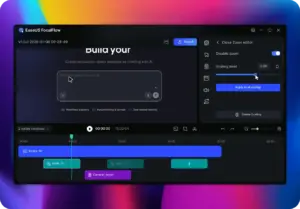
Adjusting auto-zoom scaling levels and timeline clips in the Screen Recording Software.
Adjust auto-zoom scaling levels and timeline clips in FocalFlow

Create Smooth Cursor Animations:

Record with clean, gliding cursor movements that look professional.

You can adjust the cursor style and speed even after recording to match your content.

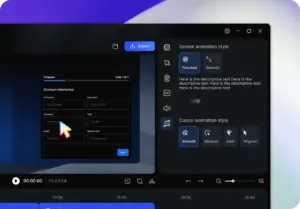
Customizing cursor movement and click styles in FocalFlow AI Screen Recorder.
Customize cursor movement and click styles in FocalFlow

Personalize Your Recordings:

Change backgrounds, margins, and rounded corners in just one click.

Resize and reposition your webcam to create a clean, polished video layout.

Customizing video backgrounds, padding, and rounded corners in the Screen Recording Software editor.
Customize video backgrounds, padding, and rounded corners in FocalFlow

Record Screen, Webcam & Audio Together:

Capture your screen, webcam, microphone, and system audio in one go. No need to use multiple tools or sync recordings later.

Selecting camera and audio input sources within the AI Screen Recorder interface.
Select camera and audio input sources within FocalFlow

Other Important Features –

  • Simplify your entire recording process without complex setups.
  • Automatically zoom into every important click and action.
  • Eliminate manual editing and save hours of work.
  • Create smooth videos with professional cursor movement.
  • Make every frame look clean and engaging.
  • Export videos in multiple aspect ratios with one click.
  • Share your recordings easily across platforms.

Who Is FocalFlow For?

  • Product Demo Creators: To create polished product demos with auto-zoom and zero editing.
  • YouTubers & Content Creators: To record engaging tutorials and social videos faster.
  • Online Educators & Trainers: To deliver clear, professional lessons without complex editing.
  • Marketing Teams & Managers: To produce high-impact marketing videos with consistent branding.
  • Sales Teams & Businesses: To create clean, cinematic presentations that help close deals faster.
  • Indie Developers & Entrepreneurs: To showcase products and features with minimal effort.
  • All Content Creators: To turn ideas into professional videos quickly and easily.

Testimonials:

Frequently Asked Questions:

How to use Auto-zoom?

Zoom effects are added automatically based on clicks and cursor movement.

Can I record webcam and audio?

Yes, including webcam, mic, and system audio, with post-edit adjustments.

Are there any file size or duration limits for video exports?

No, there are no file size or duration limits.

Can I adjust cursor and screen motion effects?

Yes, with adjustable styles, sizes, and motion effects.

Does it support adjusting video borders and rounded corners?

Yes, borders and rounded corners can be adjusted at any time.

What video export formats are supported?

All major aspect ratios (16:9, 9:16, 1:1, etc.) plus custom sizes.

Deal Terms:

How to download/activate this product?
After completing your purchase, you will receive an instructions document. Follow the instructions in this document to redeem the coupon code and get access to this product.

What is the validity of the license key/coupon code? (Within how many days the coupon code must be redeemed?)
The coupon code must be redeemed within 30 days from the date of purchase.

Is a Lifetime Subscription available for this product?
No, an Annual Subscription is available with this deal for EaseUS FocalFlow – AI Screen Recording Software.

Are Lifetime Updates available for this product?
Yes, updates are available for free during the subscription period.

Is support available for this product?
Yes, support is available for this product.

Is this deal for new users only?
No, this deal is available for both new and existing users of EaseUS FocalFlow.

How many users can use the license key/coupon code?
One coupon code can be used for one user/three computers.

Are the coupon codes stackable?
No, the coupon codes are not stackable.

Can this product be accessed on all devices?
No, EaseUS FocalFlow – AI Screen Recording Software is accessible only on devices with Windows 10 64-bit (21H2) or later. Internet connection required for activation, updates and cloud features.

Reviews

There are no reviews yet.

Only logged in customers who have purchased this product may leave a review.

$13.59$79.99
$15.99$79.99
Buy Now
30 Day Refund Policy
For support contact: [email protected] 

Want to save another 25% on this deal?

Join DealClub

Plans & Features

3 PCs - Yearly
$15.99 $79.99
  • One license for 3 PCs
  • Auto-zoom tracking
  • Smart visual polish
  • AI subtitle generation
  • 4K 60fps export
Buy Now

    No Q&A available yet.

    No Reviews available.

    Only logged in customers who have purchased this product may leave a review.

Scroll to Top