
If you’re looking for an alternative to Adobe Acrobat, you’re probably trying to reduce subscription costs, find a PDF editor that’s easier to use, or access AI-powered features without paying a premium every month.
Adobe Acrobat has long been the industry standard for creating, editing, and managing PDF files. It offers powerful features like OCR (Optical Character Recognition), document conversion, e-signatures, and collaboration tools. However, its recurring subscription model and feature-heavy interface aren’t the right fit for everyone.
Fortunately, modern PDF editors now offer many of the same capabilities, often with lifetime licenses, AI-powered document assistants, cloud support, and intuitive interfaces. Whether you’re a student, freelancer, business professional, or part of a growing team, there’s a PDF editor that better matches your workflow and budget.
In this guide, we’ve compared the best Adobe Acrobat alternatives based on editing capabilities, OCR performance, AI features, platform compatibility, pricing, and overall value to help you choose the right PDF software.
Compare the Best Adobe Acrobat Alternatives at a Glance:
| Software | PDF Editing | OCR | AI Features | E-Sign | Platform | Lifetime License | Price |
|---|---|---|---|---|---|---|---|
| UPDF | Yes | Yes | Yes | Yes | Windows, Mac | Yes | $69.99 |
| PDF Reader Pro | Yes | Yes | Limited | Yes | Windows, Mac | Yes | $31.99 |
| PDF Reader Pro Permanent | Yes | Yes | Limited | Yes | Windows, Mac | Yes | $74.99 |
| SwifDoo PDF | Yes | No | Yes | Yes | Windows only | Yes | $29.97 |
| LightPDF | Yes | Yes | Yes | Browser/Desktop | Windows, Mac | Yes | $79.99 |
| LynxPDF | Yes | Yes | Limited | Yes | Windows, Limited Mac | Yes | $149.99 |
Why Users Look for Adobe Acrobat Alternatives?
Adobe Acrobat remains a feature-rich PDF editor, but many users now prefer alternatives that better suit their needs.
Some of the most common reasons include:
- High subscription costs: Many users prefer paying once instead of committing to recurring monthly or yearly fees.
- Simpler user experience: Not everyone needs enterprise-level tools for everyday PDF tasks.
- AI-powered productivity: Modern PDF editors now include AI assistants for summarizing, translating, and explaining documents.
- Cross-platform flexibility: Users want to work across Windows, Mac, mobile devices, and the cloud without limitations.
- Better value: Many lifetime PDF editors include essential features like OCR, conversion, annotations, and e-signatures at a much lower cost.
Editor's Top Picks:
If you’re short on time, here are our top recommendations based on different use cases.
🏆 Best Overall: UPDF
💰 Best Budget PDF Editor: SwifDoo PDF
🤖 Best AI PDF Editor: LightPDF
🏢 Best for Business: PDF Reader Pro
🔒 Best for Secure Documents: LynxPDF
Adobe Acrobat Cost vs Lifetime Alternatives:
One of the biggest advantages of switching to a lifetime PDF editor is the long-term savings.
| Software | Approximate Cost Over 3 Years |
|---|---|
| Adobe Acrobat Pro | ~$720 |
| UPDF | $69.99 |
| PDF Reader Pro | $31.99 |
| PDF Reader Pro Permanent | $74.99 |
| SwifDoo PDF | $29.97 |
| LightPDF | $79.99 |
| LynxPDF | $149.99 |
For freelancers, students, and small businesses, choosing a lifetime license instead of a subscription can result in significant savings over time.
Best Adobe Acrobat Alternatives:
Best for: Professionals, students, researchers, and anyone looking for a modern Adobe Acrobat alternative.
Why We Recommend It:
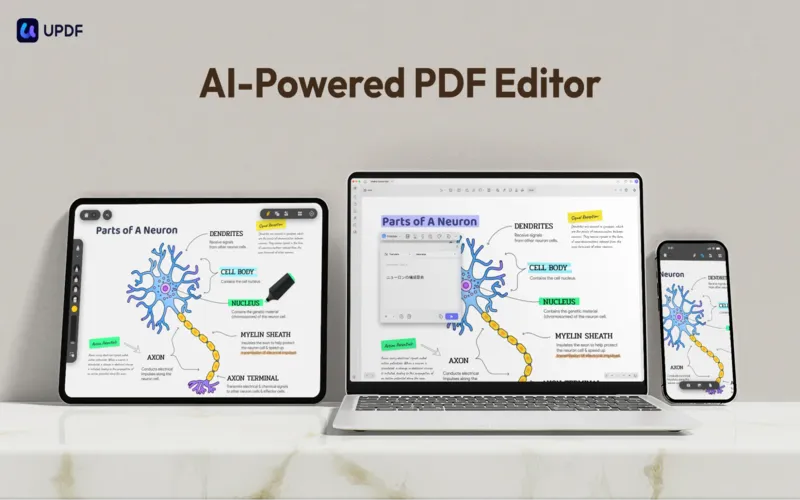
UPDF is one of the strongest Adobe Acrobat alternatives because it combines powerful PDF editing with AI-driven productivity features.
Along with editing text, images, pages, and forms, it includes an AI assistant that can summarize lengthy PDFs, explain technical content, translate documents, and help users understand complex information more quickly.
Its clean interface and cross-platform support also make it easy to switch between Windows, Mac, iOS, and Android devices without disrupting your workflow.
Key Features:
- AI document assistant
- OCR for scanned PDFs
- Edit text, images, and pages
- Convert PDFs to Word, Excel, PowerPoint, and more
- Annotate, highlight, and comment
- Fill and sign PDF forms
- Cross-platform compatibility
What We Liked:
- Powerful AI features built directly into the editor
- Modern, beginner-friendly interface
- Excellent OCR performance
- Works across multiple operating systems
- One-time lifetime license
Limitations:
- Some AI features require an internet connection.
- Advanced collaboration tools are more limited than enterprise-focused platforms.
Recommended for: Users who want an all-in-one PDF editor with AI capabilities and long-term value.
Price: $69.99 (Lifetime License)
Best for: Offices, legal professionals, consultants, educators, and business teams.
Why We Recommend It:
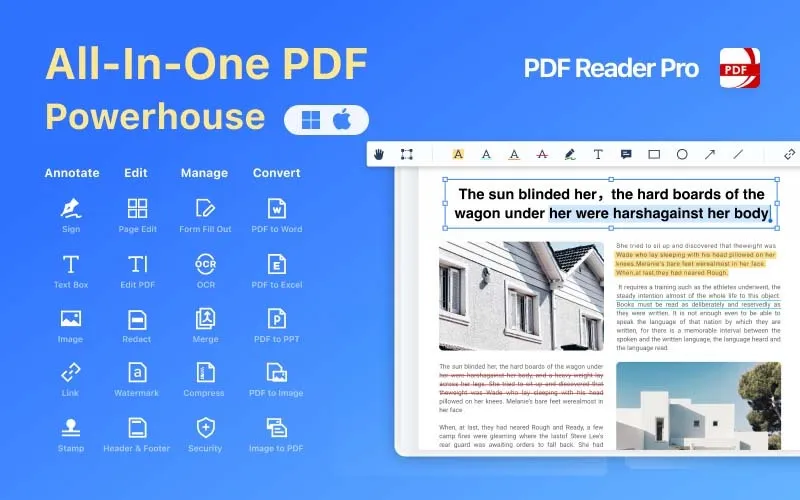
PDF Reader Pro offers one of the most complete PDF editing experiences available.
It includes advanced editing tools, OCR, annotations, document conversion, digital signatures, and batch processing, making it ideal for professionals who regularly work with contracts, reports, proposals, and business documents.
Unlike many lightweight PDF editors, it focuses on improving productivity without sacrificing usability.
Key Features:
- Advanced PDF editing
- OCR technology
- PDF conversion
- Digital signatures
- Annotation tools
- Batch processing
What We Liked:
- Excellent document editing capabilities
- Strong annotation and markup tools
- Reliable business workflow features
- Affordable lifetime pricing
Limitations:
- AI features are limited compared to newer AI-first PDF editors.
- Interface may feel more feature-rich than necessary for casual users.
Recommended for: Businesses and professionals who need reliable PDF editing without paying a recurring subscription.
Price: $31.99 (Lifetime License)
Best for: Professionals who prefer owning their software instead of subscribing.
Why We Recommend It:
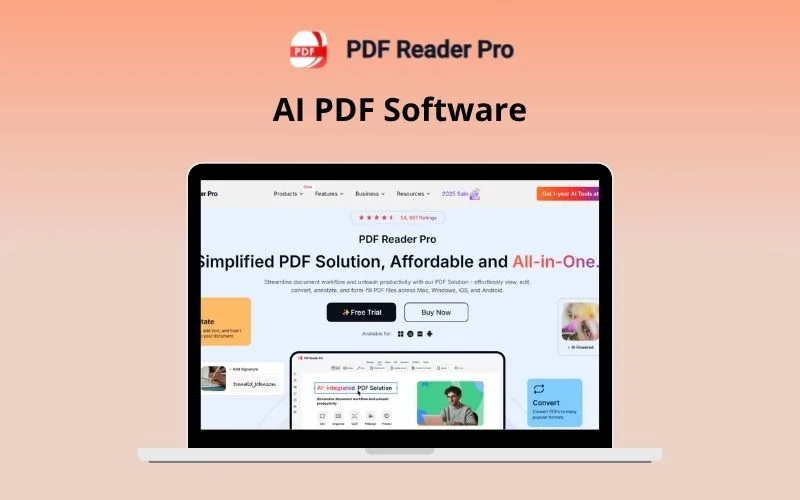
If you regularly edit PDF files and want software you can use for years without recurring costs, PDF Reader Pro Permanent is a solid investment. It includes advanced editing, OCR, conversion, annotation, and security features in a one-time purchase.
It’s particularly well suited for users who value stability, long-term ownership, and professional document management.
Key Features:
- Professional PDF editing
- OCR
- PDF conversion
- Secure document management
- Digital signatures
- Batch processing
What We Liked:
- Permanent license with no recurring fees
- Reliable editing and conversion tools
- Strong business-oriented feature set
Limitations:
- Doesn’t include the AI productivity features available in UPDF or LightPDF.
- Fewer cloud-based collaboration options.
Recommended for: Professionals looking for a dependable PDF editor with a permanent license.
Price: $74.99 (Lifetime License)
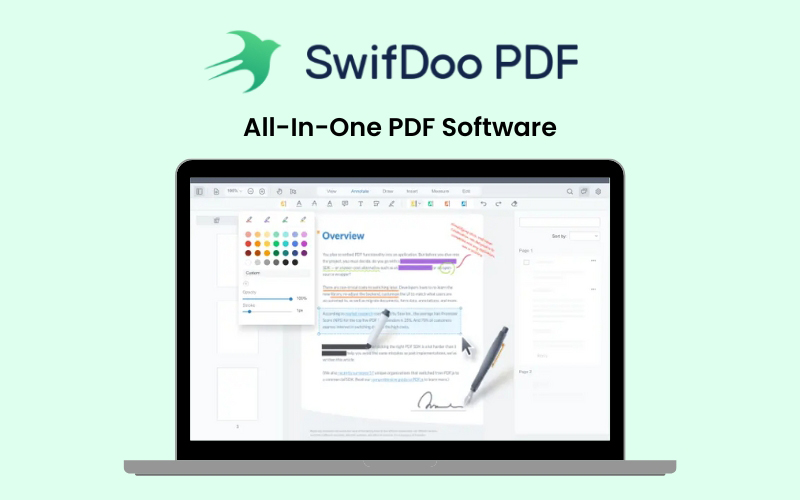
Best for: Students, freelancers, home users, and anyone looking for an affordable PDF editor.
Why We Recommend It:
SwifDoo PDF proves that you don’t need expensive software to handle everyday PDF tasks. It offers a clean, easy-to-use interface with essential features like PDF editing, OCR, file conversion, annotations, and document organization.
Because of its lightweight design, it performs well even on modest Windows PCs, making it a practical choice for users who want a fast and reliable PDF editor without unnecessary complexity.
Key Features:
- Edit PDF text and images
- OCR for scanned documents
- Convert PDFs to Word, Excel, PowerPoint, and images
- Merge and split PDFs
- Annotation and markup tools
- Digital signatures
What We Liked:
- Lowest lifetime price in this comparison
- Easy for beginners to learn
- Fast performance
- Covers all essential PDF editing tasks
Limitations:
- No built-in AI assistant.
- Currently available for Windows only.
Recommended for: Students, freelancers, and everyday users looking for an affordable Adobe Acrobat alternative.
Price: $29.97 (Lifetime License – 1 PC)
Best for: Researchers, marketers, professionals, educators, and users who frequently work with long documents.
Why We Recommend It:
LightPDF combines traditional PDF editing with AI-powered productivity tools that help users work smarter. Its AI assistant can summarize lengthy reports, translate documents, explain technical content, and answer questions based on uploaded PDFs.
Cloud support also allows users to access documents across multiple devices, making it a great choice for hybrid work environments.
Key Features:
- AI document assistant
- OCR
- PDF editing
- File conversion
- AI summarization
- AI translation
- Cloud document management
What We Liked:
- Excellent AI capabilities
- Strong cloud workflow
- Clean and modern interface
- Saves time when reviewing large documents
Limitations:
- Slightly higher upfront cost than some competitors.
- Advanced AI features work best with an internet connection.
Recommended for: Users who want AI to simplify document editing, research, and productivity.
Price: $79.99 (Lifetime License)

Best for: Businesses, legal professionals, and users handling confidential documents.
Why We Recommend It:
LynxPDF focuses on secure document management while providing all the core tools needed for editing and organizing PDFs.
It includes OCR, file conversion, annotations, and password protection, making it suitable for professionals working with contracts, legal files, financial records, and other sensitive documents.
Key Features:
- PDF editing
- OCR
- PDF conversion
- Merge and split pages
- Annotation tools
- Password protection
What We Liked:
- Strong document security
- Reliable editing and organization tools
- Good for business workflows
Limitations:
- Higher price than most alternatives in this guide.
- AI-powered features are limited.
Recommended for: Businesses and professionals who prioritize document security.
Price: $149.99 (Lifetime License)
Best Tool by Category:
| Category | Winner |
|---|---|
| Best AI PDF Editor | UPDF |
| Best Budget PDF Editor | SwifDoo PDF |
| Best Professional PDF Editor | PDF Reader Pro |
| Best for Business Documents | PDF Reader Pro |
| Best OCR Performance | UPDF |
| Best PDF Conversion | SwifDoo PDF |
| Best Cloud Workflow | LightPDF |
| Best Document Security | LynxPDF |
| Best for Beginners | SwifDoo PDF |
| Best Cross-Platform Support | UPDF |
| Best Long-Term Value | PDF Reader Pro |
Which Adobe Acrobat Alternative Should You Choose?
Still unsure which PDF editor is right for you? Here’s a quick decision guide based on common needs.
| If you want... | Choose... |
|---|---|
| AI-powered PDF editing and document assistance | UPDF |
| The most affordable lifetime PDF editor | SwifDoo PDF |
| Professional PDF editing for business | PDF Reader Pro |
| A permanent license with advanced editing tools | PDF Reader Pro Permanent |
| AI-powered cloud workflows | LightPDF |
| Strong document security | LynxPDF |
Conclusion:
Adobe Acrobat is still one of the most capable PDF editors available, but it isn’t the only option. Today’s PDF software offers advanced editing, OCR, AI-powered document assistants, e-signatures, and secure file management, often through a one-time purchase instead of an ongoing subscription.
Whether you’re looking for an AI-powered PDF editor, a budget-friendly solution, or professional document management software, there’s an alternative that fits your workflow. Compare the features, pricing, and platform compatibility of each tool to choose the PDF editor that best meets your needs today and in the future.
Frequently Asked Questions
Is Adobe Acrobat still worth it in 2026?
Adobe Acrobat remains a powerful solution for enterprise users. However, many individuals and small businesses can now find similar editing, OCR, conversion, and e-signature features in lifetime-license alternatives at a much lower cost.
Which Adobe Acrobat alternative is closest to Acrobat Pro?
PDF Reader Pro offers one of the closest experiences, thanks to its advanced editing tools, OCR, annotations, digital signatures, and business-focused workflow.
Which PDF editor includes the best AI features?
If AI is your priority, UPDF and LightPDF are the strongest choices. Both include AI-powered tools for summarizing, translating, explaining, and working with PDF documents.
Which PDF editor is best for students?
SwifDoo PDF is an excellent choice for students because it’s affordable, easy to learn, and includes all the essential tools needed for assignments, notes, and research.
Can I edit scanned PDFs without Adobe Acrobat?
Yes. Every PDF editor featured in this guide includes OCR, allowing scanned documents to become searchable and editable.
Which PDF editor is best for Windows?
All six tools support Windows. UPDF is the best all-round choice, while SwifDoo PDF is ideal for users who want a lightweight and affordable editor.
Which PDF editor is best for Mac?
UPDF and PDF Reader Pro both provide excellent macOS support with advanced editing, OCR, and document management features.
Are lifetime PDF editors worth buying?
If you regularly work with PDF files, a lifetime license can save hundreds of dollars compared to paying for an annual subscription while still providing the features most users need.